Download for macOS
Free and open source. Pick the build that matches your Mac.
Not sure which you have? Apple menu → About This Mac. “Apple M…” means Apple Silicon.
First launch: “QuickToss.app is damaged”
If macOS refuses to open the app, it isn't actually broken. QuickToss isn't signed with a paid Apple Developer certificate yet, and macOS blocks unsigned apps downloaded from the internet. Run this once in Terminal, then open the app normally:
xattr -cr /Applications/QuickToss.app
You'll need to repeat this after installing a new version. Removing this friction is tracked in issue #7.
Three keys, and you're done
-
1. Pick a folder
Start with Downloads. It's almost always the biggest win.
-
2. Toss or keep
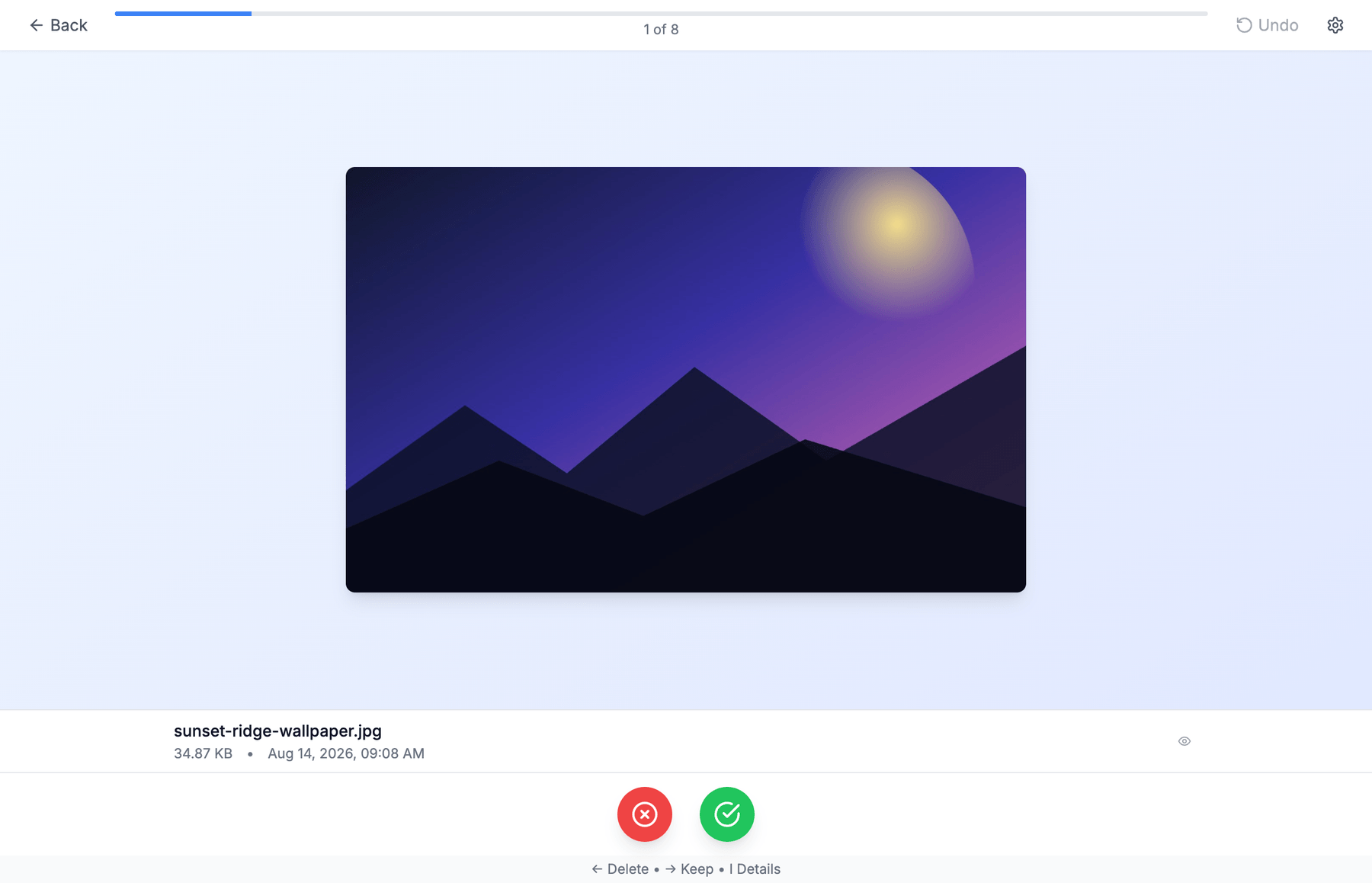
Swipe, or press ← to toss and → to keep. Each file gets a preview, so you decide in a second.
-
3. Change your mind
Cmd+Z undoes any decision, and nothing is ever permanently deleted.
| Key | Action |
|---|---|
| ← or Backspace | Toss — move to Trash |
| → or Space | Keep |
| I | Show or hide file details |
| Cmd+Z | Undo the last action |
It previews what you're about to lose
Deciding is easy when you can see the file. QuickToss renders it inline rather than showing you a filename and hoping.
Images
JPEG, PNG, GIF, WebP, BMP, TIFF, HEIC
Documents
PDF, and plain-text formats — TXT, MD, RTF, LOG, JSON, XML, CSV, YAML
Video
MP4, MOV, AVI
Word, PowerPoint and spreadsheet files are picked up when scanning but don't have a real preview yet — richer previews are tracked in issue #12.
Your files stay yours
- Nothing is uploaded. QuickToss makes no network requests with your files — everything happens locally. It only talks to GitHub to check whether a newer version exists.
- Nothing is permanently deleted. Tossed files go to the system Trash and sit there until you empty it.
- Nothing is read without asking. It only reads the folder you explicitly choose.