
Download for macOS
Free and open source. Pick the build that matches your Mac.
Not sure which you have? Apple menu → About This Mac. “Apple M…” means Apple Silicon. Requires macOS 13 (Ventura) or later.
First launch: macOS will complain
WatchMe isn't signed with a paid Apple Developer certificate, so Gatekeeper blocks it the first time. This is the absence of a $99/year subscription, not a verdict on the app.
If macOS says the developer cannot be verified: right-click the app in Applications → Open → Open. Once only. If it says the app is damaged and can't be opened, clear the quarantine flag instead:
xattr -cr /Applications/WatchMe.app
You'll need to repeat this after installing a new version. Prefer neither? The source is on GitHub and the build is one command.
Tick it, forget it, get told
-
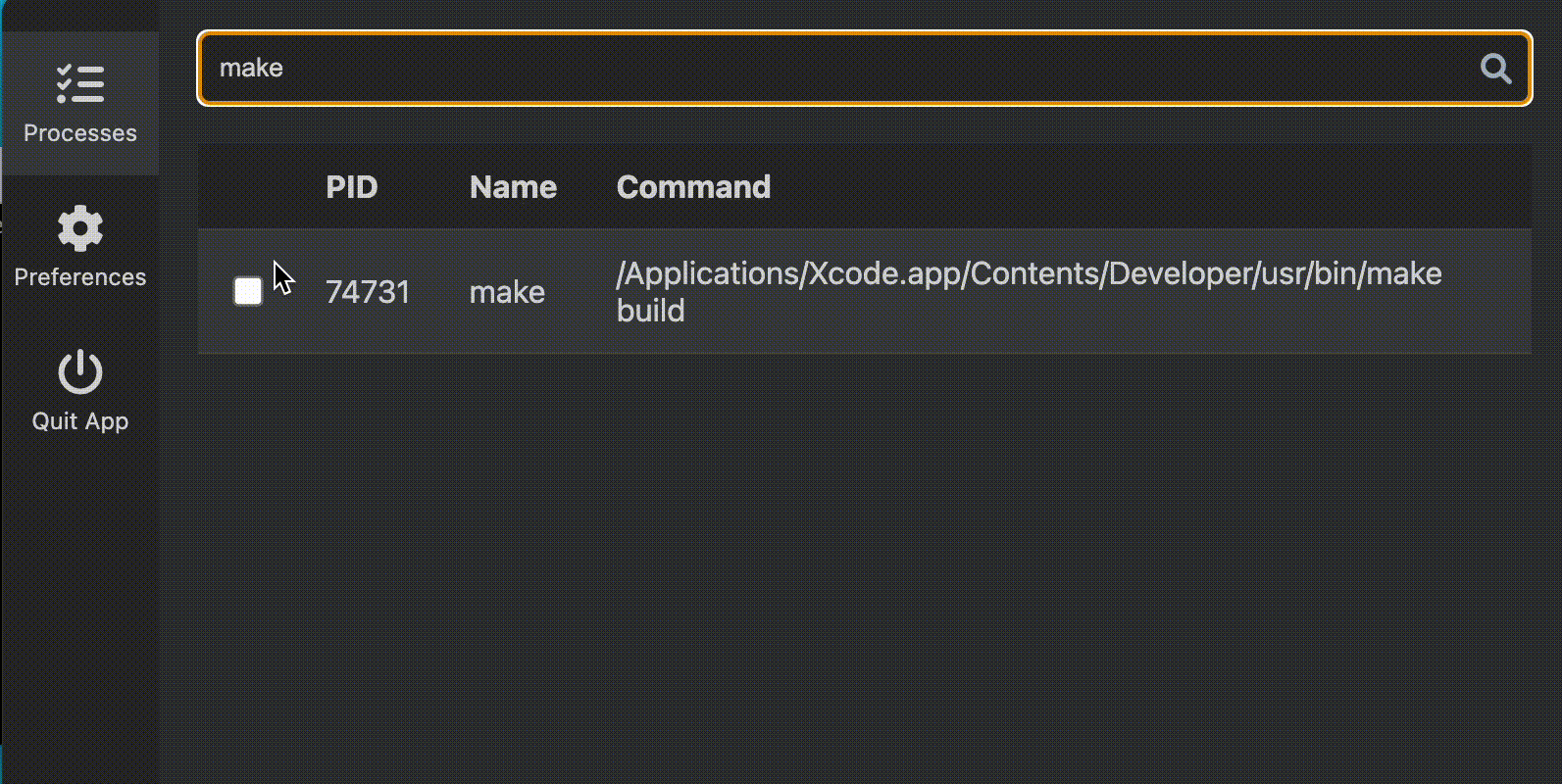
1. Find the process
Click the menu bar icon and type in the search box. Every running process is there, with its PID and full command.
-
2. Tick the box
WatchMe checks every 5s whether it's still alive. The count sits next to the menu bar icon so you know it's working.
-
3. Go and do something else
A desktop notification and a sound the moment it exits. No terminal window left in the corner of your eye.
Is this the right tool?
Yes, if
- You run long builds, test suites, migrations or big downloads.
- You'd rather not append && osascript -e … to every command you run.
- You want it out of the way — menu bar, no Dock icon.
No, if
- You want CPU, memory or I/O metrics, or the ability to kill processes. Activity Monitor and htop are built for that.
- You're on Windows or Linux. Only macOS binaries are published today.
Two ways to cut the list down
A busy Mac runs several hundred processes. Both filters match on the name and the full command.
| Filter | What it does |
|---|---|
| Search box | Narrows the list as you type. For right now. |
| Prefilter regex | A case-insensitive pattern in Preferences, applied every time the list loads. node|ffmpeg shows only those. |
| Auto Launch | Optional. Starts WatchMe when you log in. |
It can't phone home
- No network access at all. The window runs under a default-src 'none' Content Security Policy. The icons and the notification sound are bundled. Nothing about your processes leaves the machine, because nothing can.
- No account, no telemetry, no update check. It reads the process table and that is the whole of it.
- A small native core. Tauri 2 and Rust read the process table, persist preferences, own the tray, and manage launch-at-login.